Until now, Capuzzella sites all shared the same default look. This release lets you pick a different style for your entire website from the Design System, preview it on real components first, and apply it site-wide with one click.
Preview First, Apply When Ready
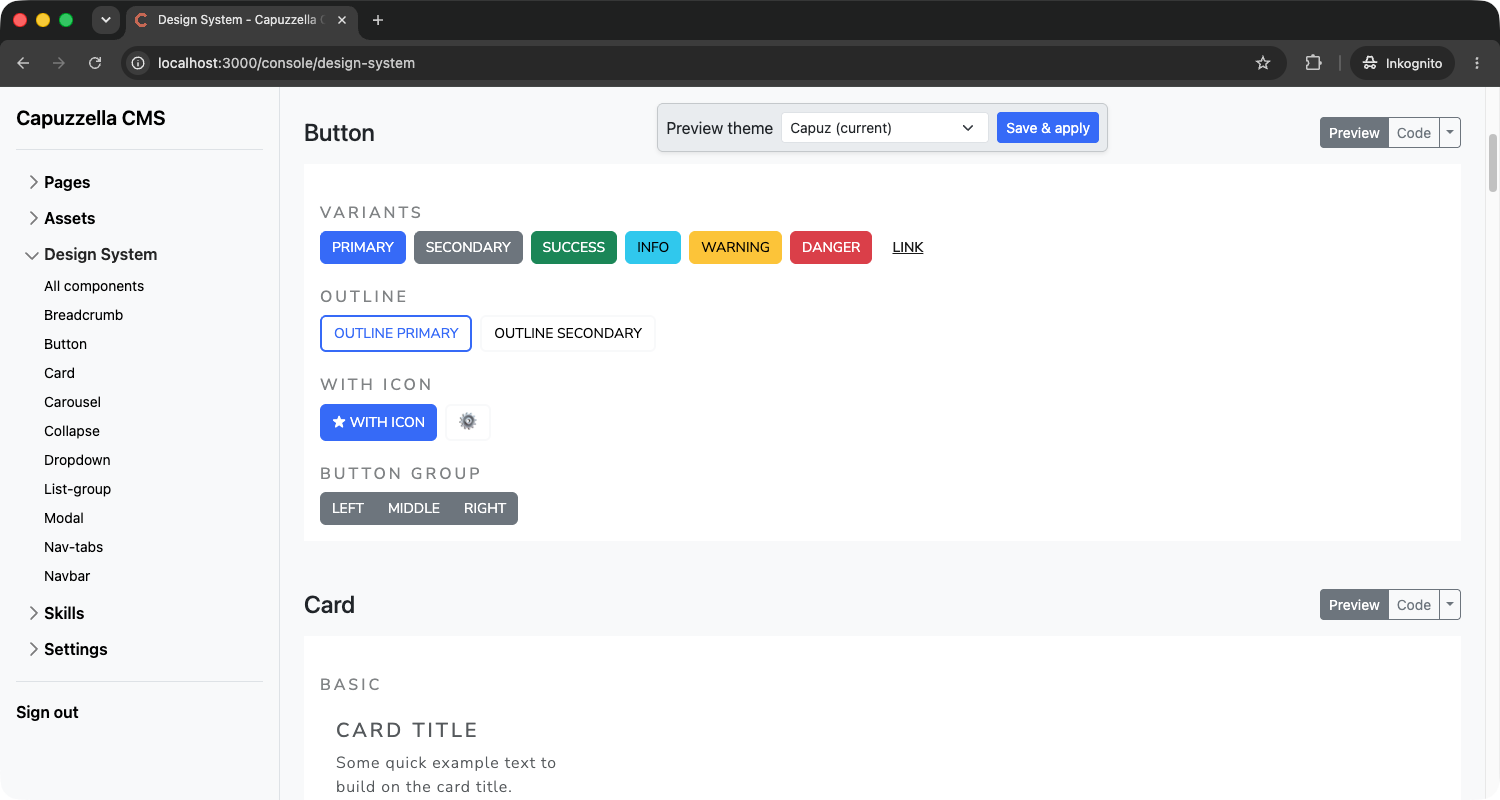
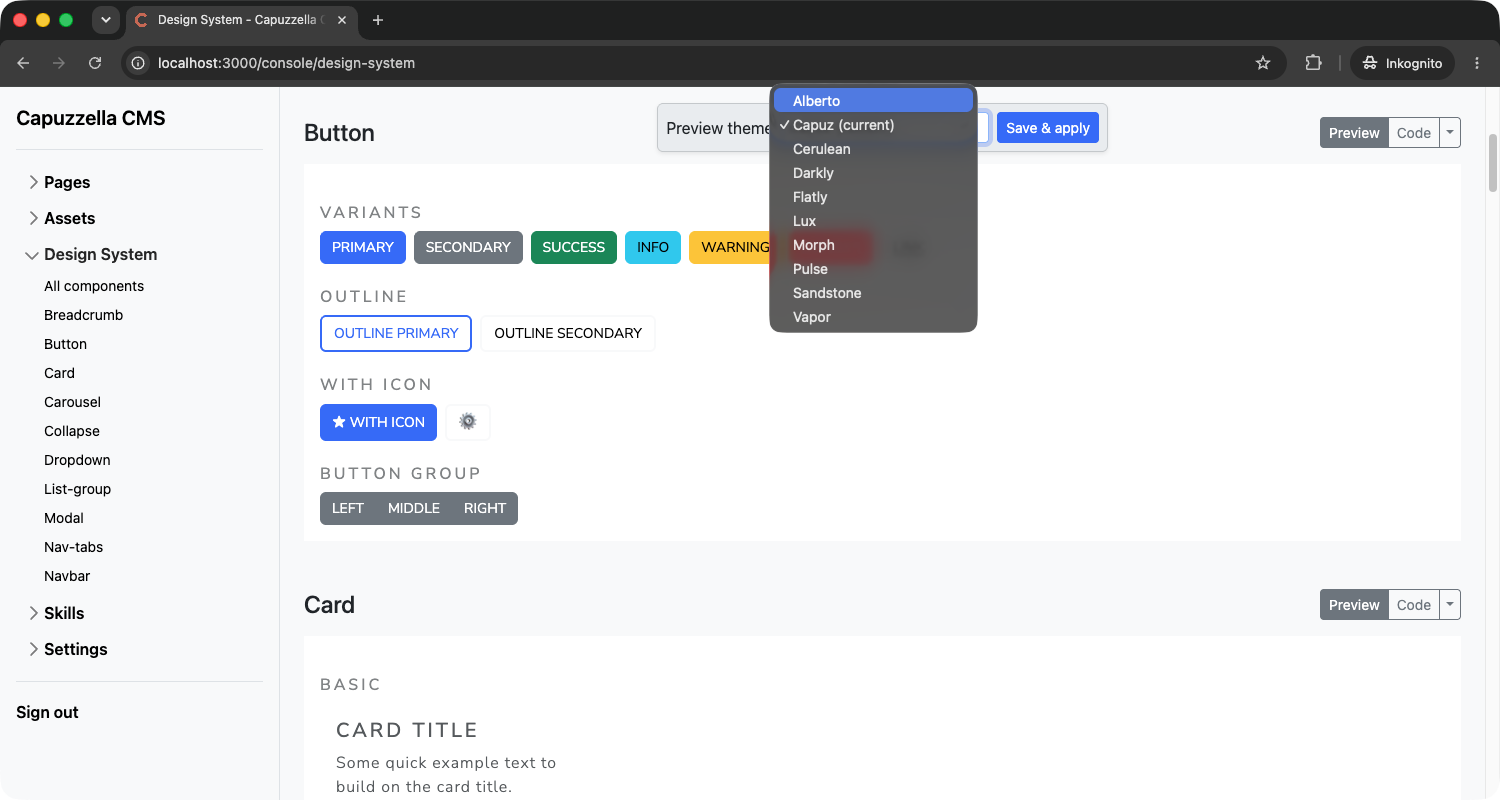
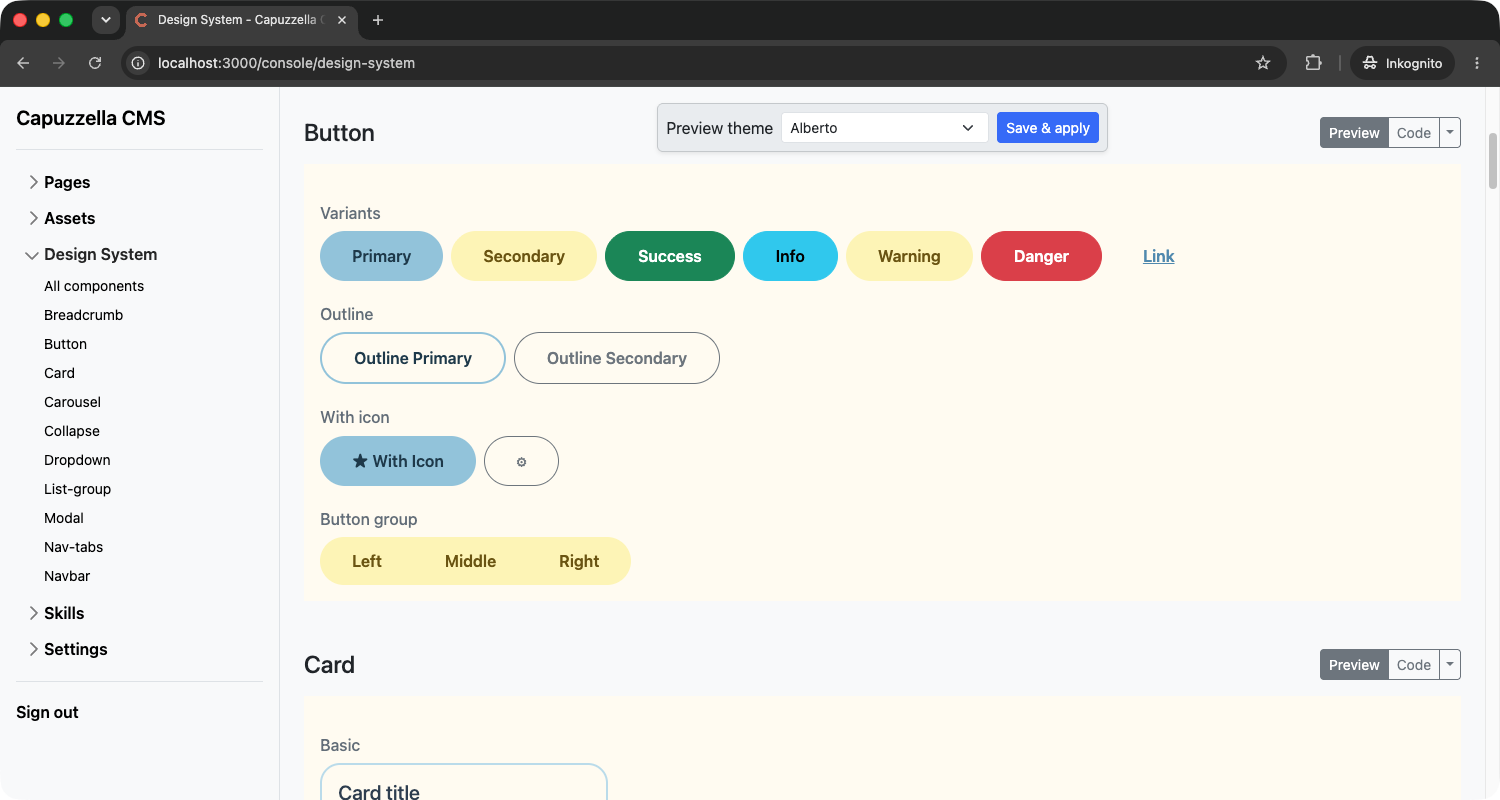
Open Design System in the admin console. At the top of each component section you will see a Preview theme dropdown and a Save & apply button. Changing the dropdown updates the iframe preview immediately — buttons, cards, navbars, and every other component re-render in the theme you selected.
That preview is session-only. Your live site and draft pages keep the saved theme until you click Save & apply. The current theme is marked (current) in the dropdown so you always know what visitors see today.
Only users with the admin or designer role see the Save & apply button and can change the site-wide theme. Everyone else can still open Design System and use the Preview theme dropdown to browse how components look in each style — useful when an editor wants to compare options before asking a designer to apply one.
Built-in Themes to Start With
The picker ships with several ready-made themes, including Capuz (the Capuzzella default), Alberto (a pastel blue-and-yellow palette), Cerulean, Darkly, Flatly, Lux, Morph, Pulse, Sandstone, and Vapor. Each one overrides Bootstrap colors, typography, and component styling while your page HTML stays the same.
Want something moody for a portfolio? Try Darkly or Vapor. Need a clean business look? Lux or Flatly are good starting points. The point is you can switch without rewriting markup or hunting through CSS files.
Already Live
Site themes ship with every Capuzzella instance. Log in, open Design System, and preview themes from the dropdown. Admins and designers can click Save & apply to set the site-wide look. No CLI step, no file edits, no redeploy.
If you are not a customer yet and want to try it, subscribe and spin up an instance. Your theme picker is waiting in the console.
Not a customer yet? Subscribe now to get started.