The goal of this release is simple: get you from signup to your first page change in as few steps as possible. Capuzzella now ships two managed services out of the box — Managed AI Provider and Managed transactional email — so you can edit pages and send notifications without wiring up third-party accounts first. A new admin sidebar keeps every section one click away.
Managed AI Provider: Your First Prompt, No Setup Required
Previously, new customers had to create an account, wait for their instance, log in, open Settings, paste an API key, pick a model — and only then could they describe a change in the Editor Panel. That is a lot of friction before you see whether Capuzzella works for you.
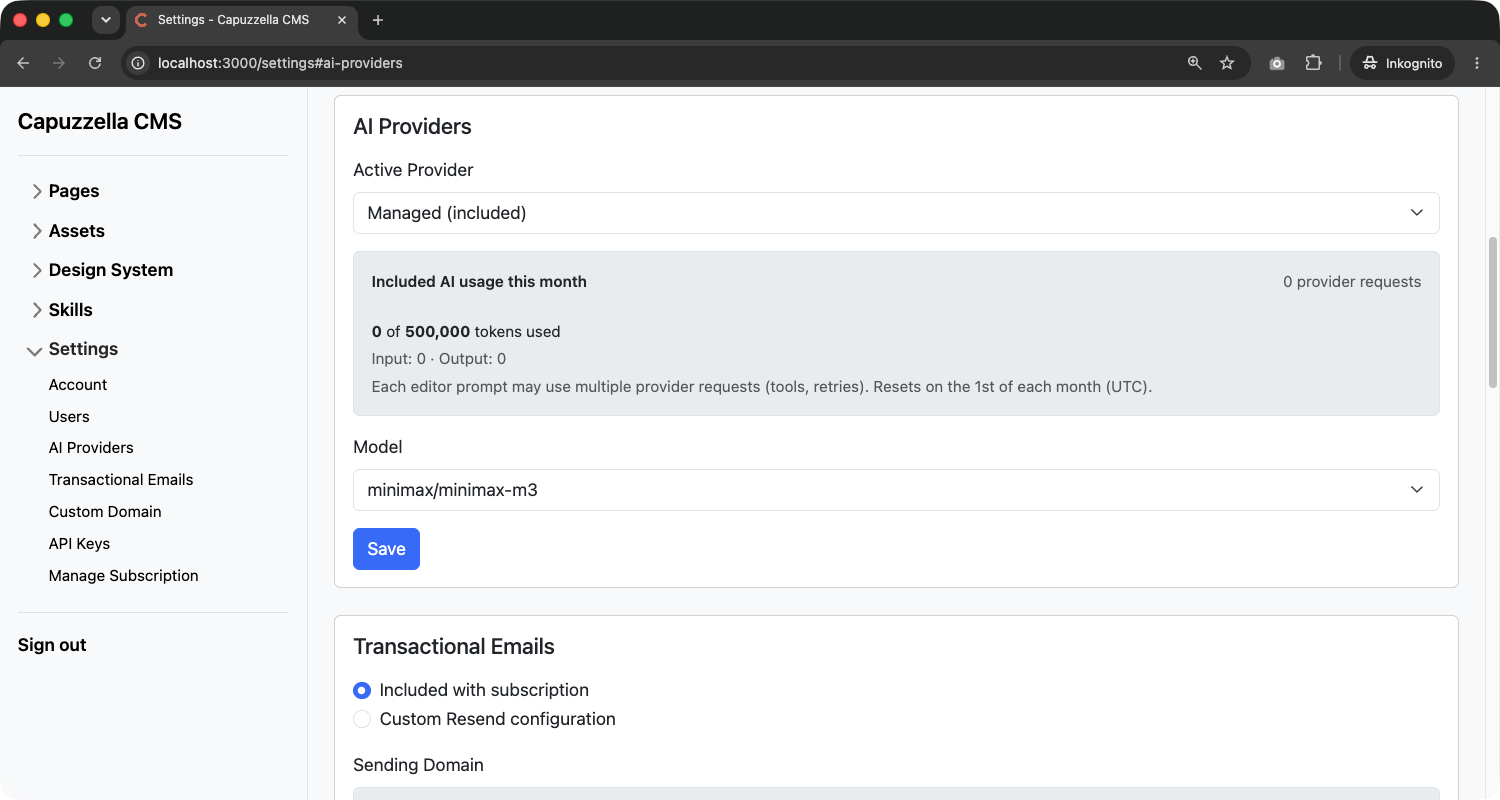
Every subscription now ships with a Managed AI Provider
powered by OpenRouter. It is the default so AI editing works out of the box. Open any page with
?edit=true,
type what you want changed, click Build page, and the AI updates your
HTML — no API key, no provider account, no billing setup on day one.
Choose from four included models:
- MiniMax M3 (
minimax/minimax-m3) — default - Claude Haiku 4.5 (
anthropic/claude-haiku-4.5) - GPT-4.1 Mini (
openai/gpt-4.1-mini) - Gemini 2.5 Flash (
google/gemini-2.5-flash)
A usage bar in the same settings card tracks your monthly token consumption. If you reach the included quota, the Editor Panel shows a clear message with a link back to Settings. Want full control over provider and model? Expand Advanced: bring your own API key at any time — but you no longer need to do that before your first edit.
Managed Transactional Email: Invitations Without Resend Setup
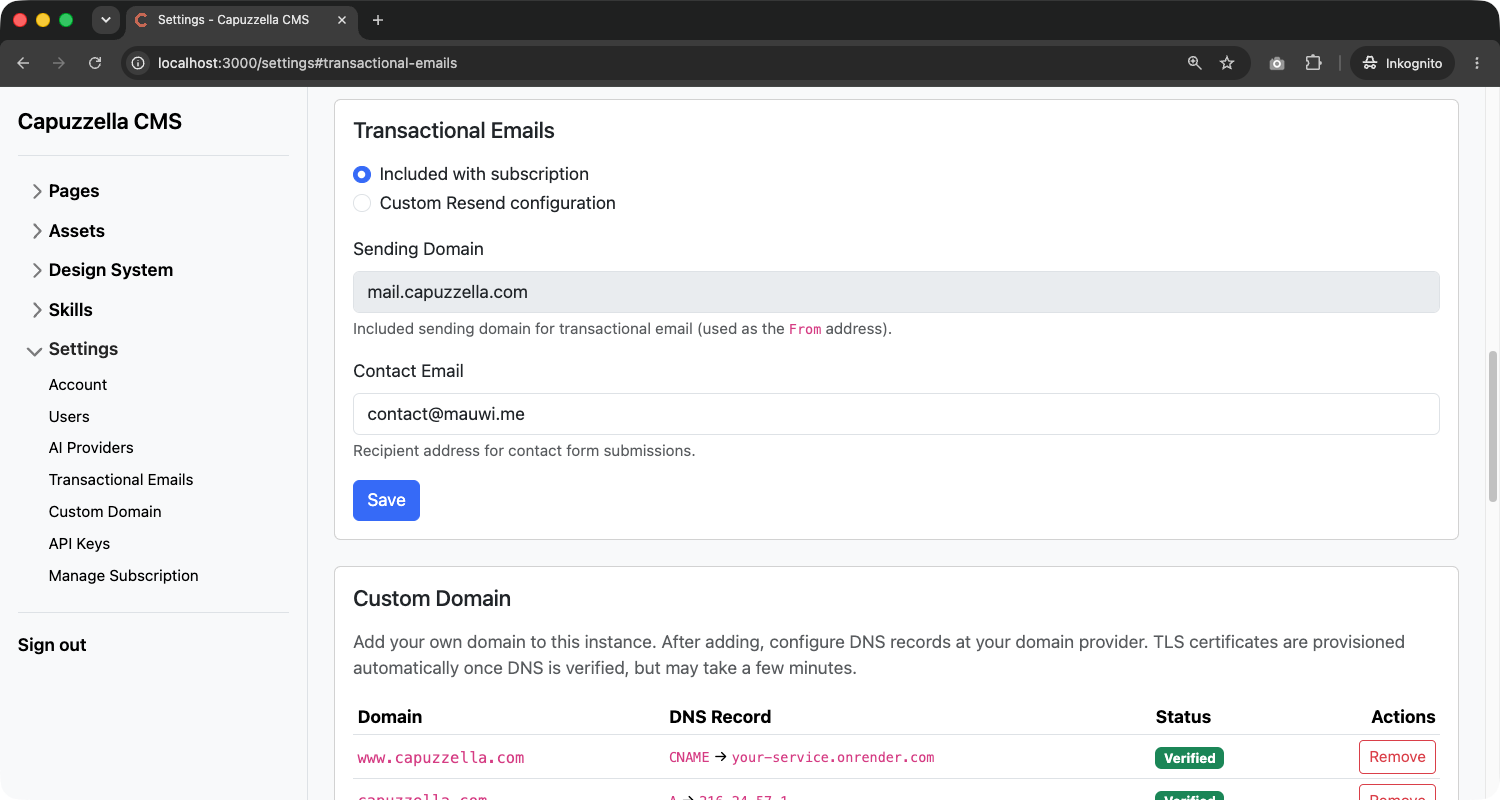
The same pattern applies to email. Capuzzella subscriptions now include Managed transactional email — sign-in with link, password resets, user invitations, and forms work without you creating a Resend account or pasting an API key.
In Settings → Transactional Emails, the default mode is Included with subscription. Enter a contact email address and you are done. Capuzzella handles delivery through the included Resend configuration on your behalf.
Need full control over the sender address and domain? Switch to Custom Resend configuration and supply your own API key, sending domain, and contact email. Resend setup is optional — use it only when you want emails to come from your own verified domain instead of the included one. Create a free account at Resend and generate an API key there at no cost.
A Sidebar for Every Admin Page
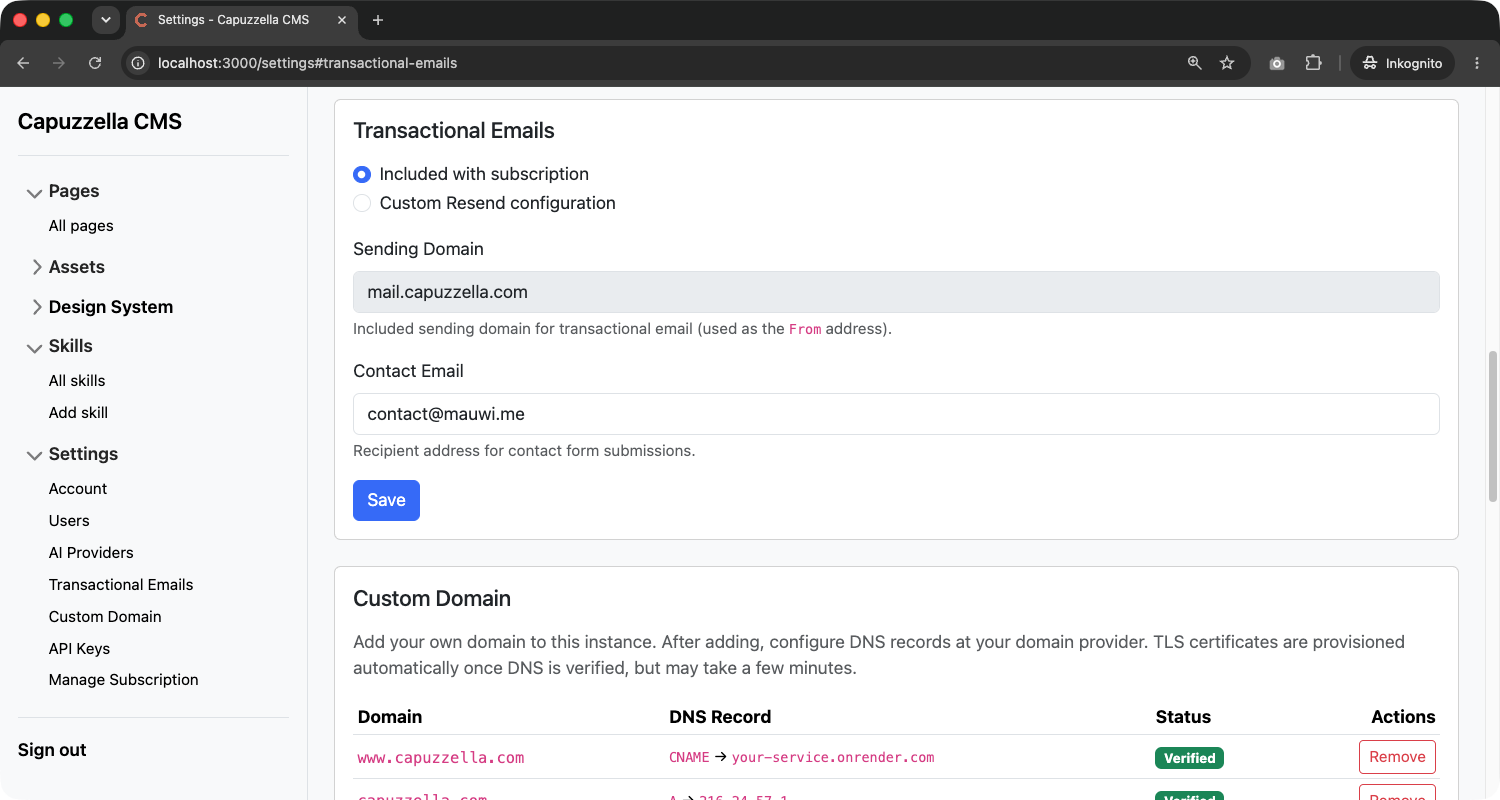
Finding your way around the admin UI used to mean remembering URLs or relying on the top navbar. A new collapsible sidebar is now rolled out across all authenticated admin pages — Pages, Assets, Design System, Skills, and Settings.
Each section expands to show its sub-pages: every component in your design system, individual settings cards (Account, AI Providers, Transactional Emails, and more), and skill management links. Jump between sections without losing context, and use hash links within Settings to scroll directly to the card you need.
Less Waiting, More Editing
Managed AI Provider and Managed Transactional Email remove the setup step after login. Instance provisioning itself got faster too. Capuzzella runs on Render, and Render recently reduced median Docker image build time by 60% — from 87 seconds down to around 32 seconds. New Capuzzella instances reach “live” sooner after checkout.
Try It Out
Managed AI Provider and included transactional email are live on every Capuzzella instance.
Subscribe, log in, and open any page with
?edit=true
to describe your first change in the Editor Panel. Use the new sidebar to explore
Settings and confirm both Managed (included) options are active under
AI Providers and Transactional Emails.
Not a customer yet? Subscribe now to get started.